Terminal walkthrough
A guided look at the MASTRtrade interface and its tools.

Solana trading terminal
See the risk before you buy. Explore Solana markets, investigate tokens and trade from your own wallet — in one terminal, on the web or Android.
MASTRscan · MASTRwatch · MASTRcheck
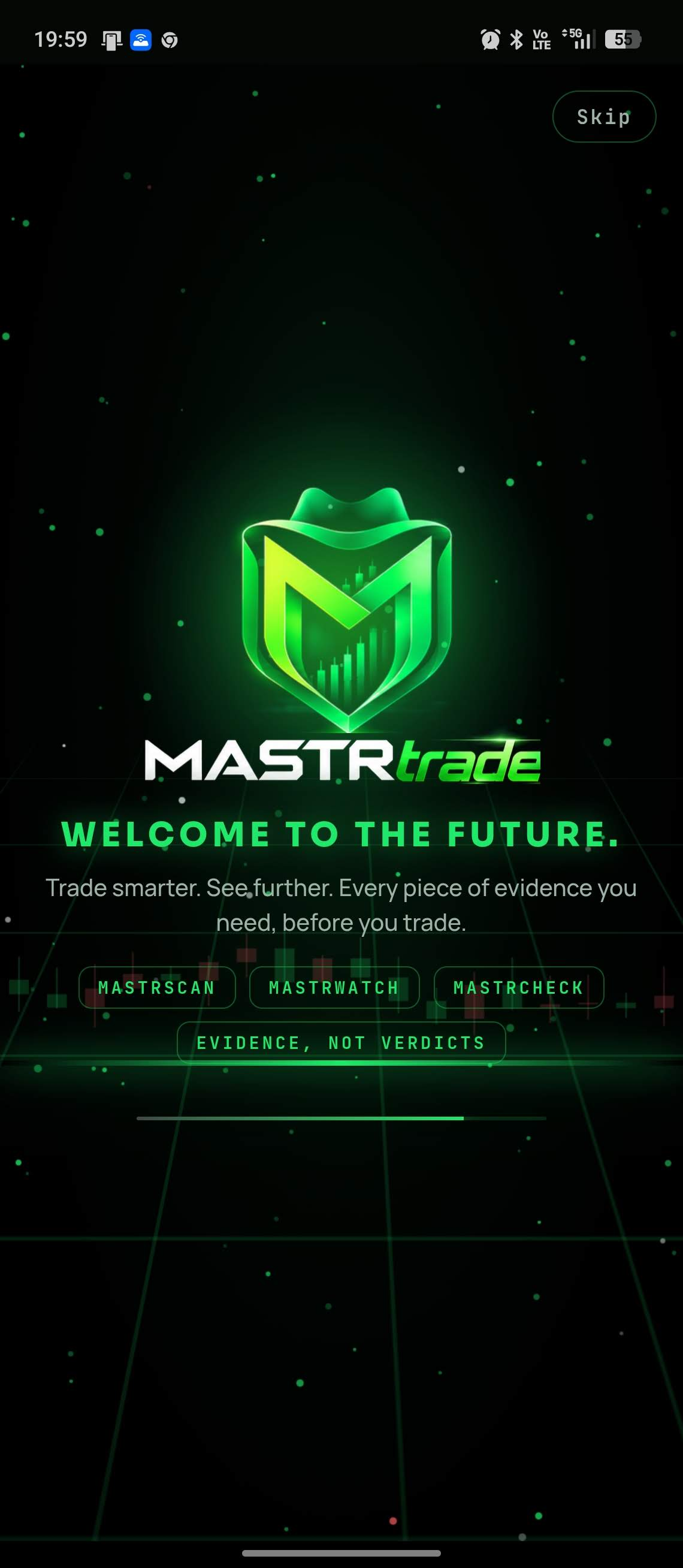
Explore the terminal and its referral programme in two original videos.
A guided look at the MASTRtrade interface and its tools.
An introduction to the MASTRtrade referral programme.
Starts muted when visible. Use the player controls for sound, pause and full screen. In data-saving or reduced-motion mode, press play to start.
Original videos · Full HD. Recorded examples, not current market data or a promise of returns.
Evidence, not verdicts.
MASTRscan, MASTRwatch and MASTRcheck bring research and execution into one workspace. Sources and data age provide context; an unknown value is not presented as safe.
Five groups cover market, authorities, holders, origin and behaviour. The audit strip includes concentration, developer holdings, snipers, insiders, bundlers, LP status, mint/freeze authorities, DEX-paid status and distance from ATH. Onchain LP evidence and plain-language Token-2022 warnings sit alongside RugCheck and GoPlus opinions; disagreements stay visible.
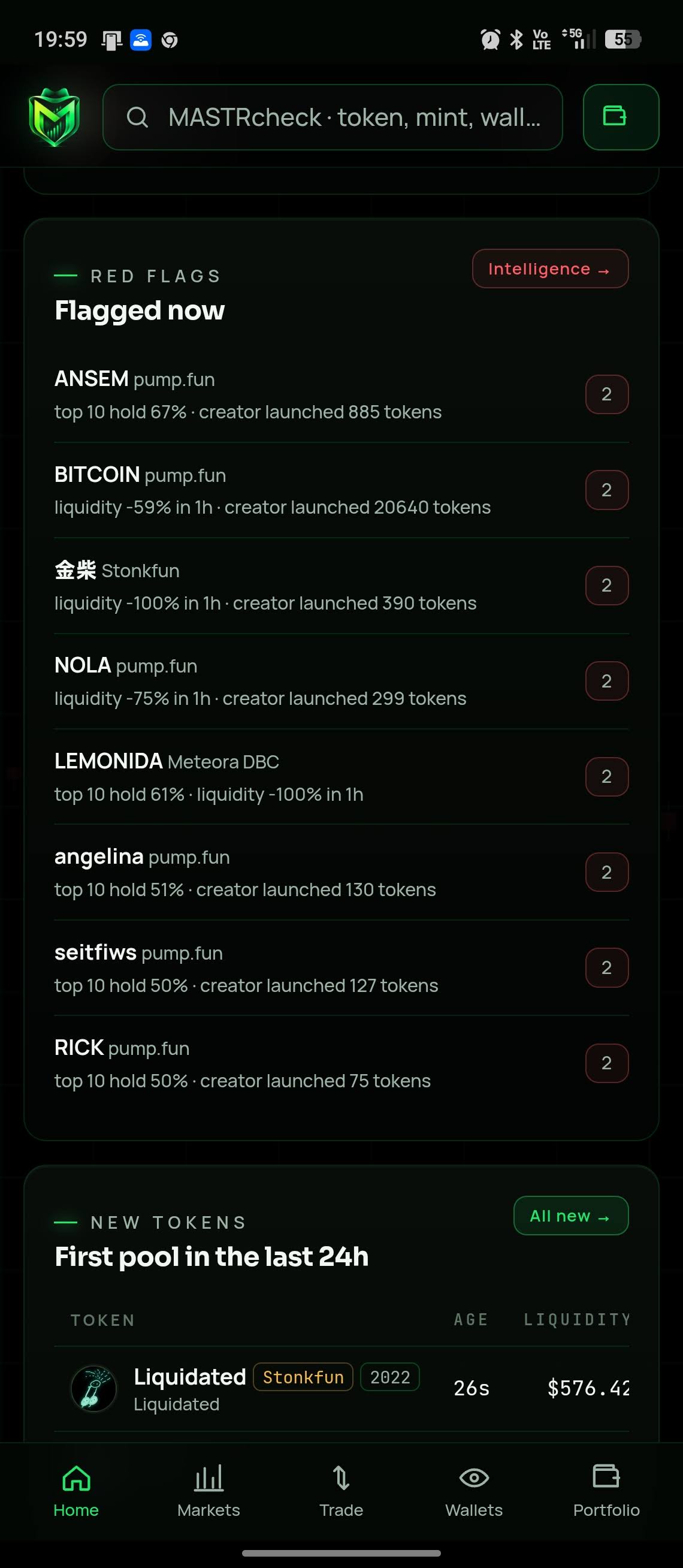
Inspect the creator, first 12 buyers and their holdings, shared funders, bundled buys, snipers, creator sales and other launches. Reused websites, X handles, Telegram links or images are flagged. Intelligence brings together concentration, liquidity outflows, suspected wash trading, launchpad activity and network conditions.
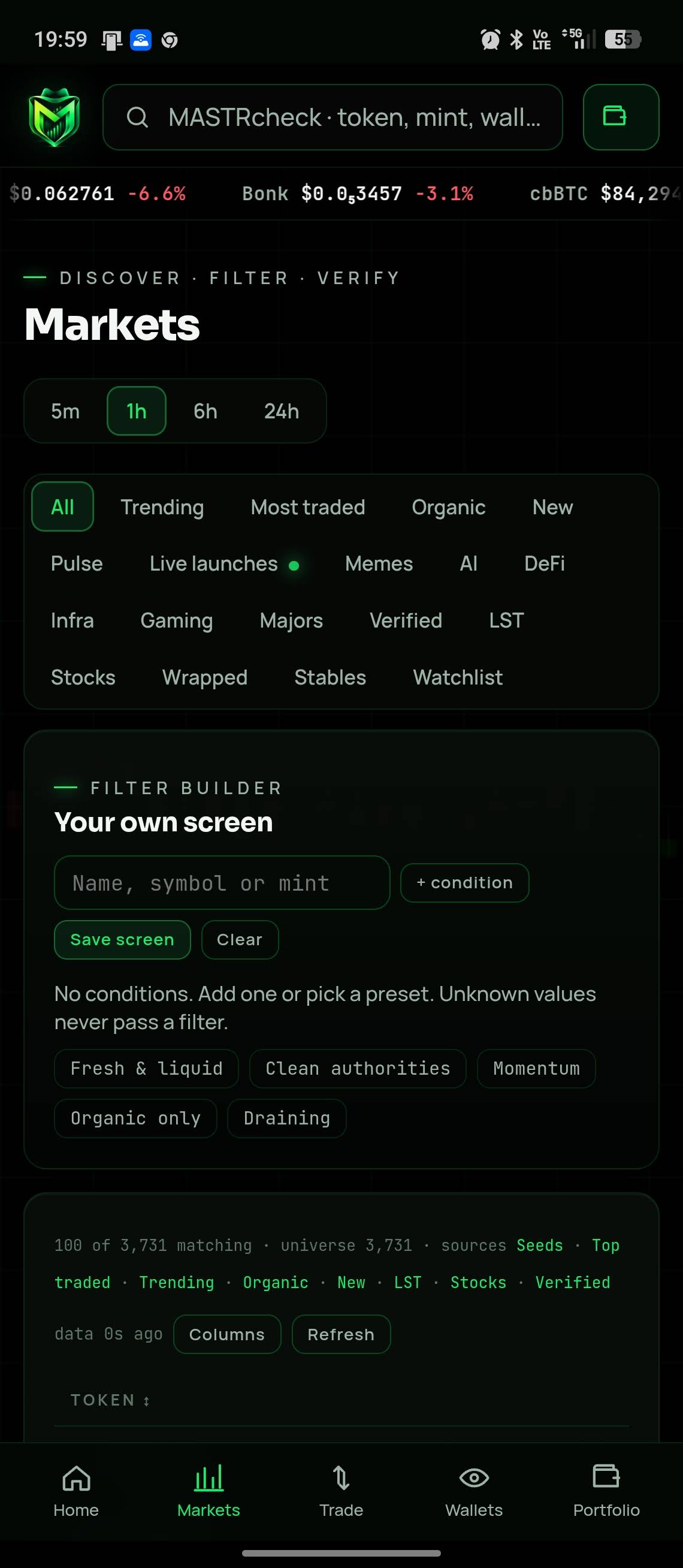
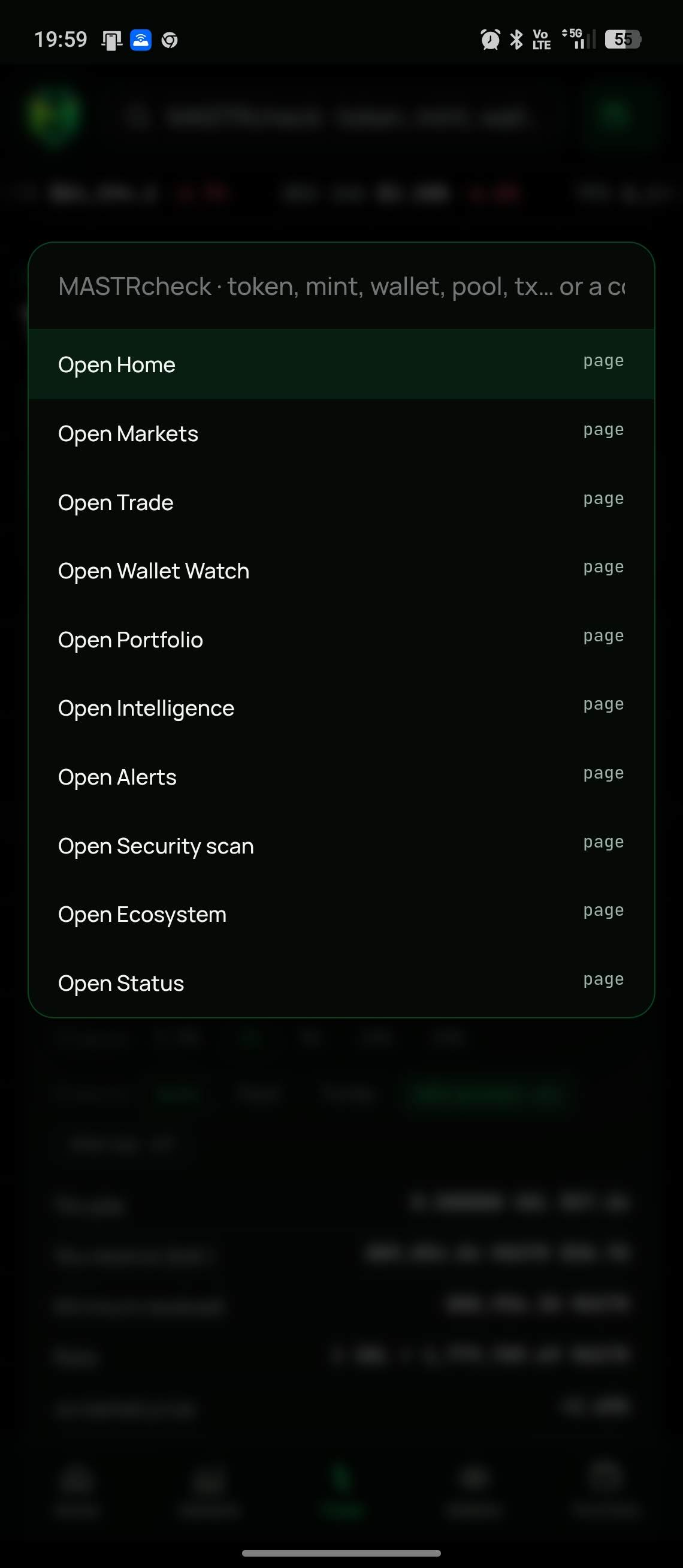
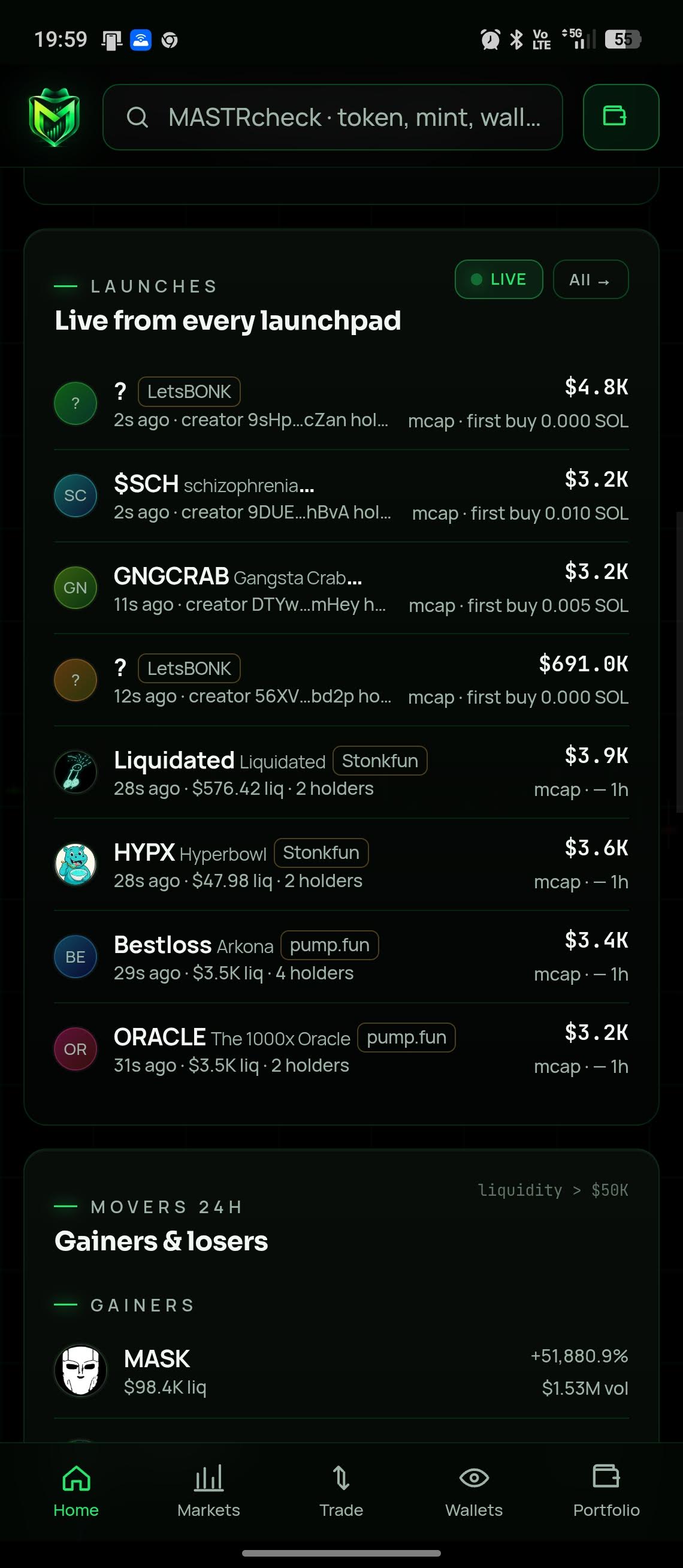
Trending, most traded, organic, new, Pulse, live launches, sector categories and your watchlist. Build and save filters, sort columns, compare up to four tokens over 1h, 24h and 7d, and follow spot/perps venues. The Pulse board follows new pairs through curve progress to graduation. Ctrl K opens MASTRcheck search for tokens, wallets, pools, programs and transactions.
MASTR Brief highlights context and the main concern. Charts offer 21 indicators, drawing tools, candles, Heikin Ashi, line/area views and USD, SOL or market-cap units. Exit Reality estimates proceeds for selling 25–100%; liquidity walls use executable Jupiter quotes. Trades, order flow, major buyers, holder distribution and lifecycle evidence complete the view.
Jupiter routes swaps; Jupiter Trigger and Recurring support limit and DCA orders. Review, simulation and transaction hashing precede your signature; a changed signed transaction is rejected. Preflight warnings, default Jito MEV protection, Auto/Fast/Turbo priority presets, quick sizes and hotkeys assist execution. Confirmed receipts use onchain results. Protection features do not eliminate trading risk.
Connect compatible Wallet Standard wallets such as Phantom, Solflare or Backpack; Android also supports Mobile Wallet Adapter. Watch wallets, PnL, win rates, funders and activity, then open a Mirror action for review. Track realised/unrealised PnL, average entry, positions and limit/DCA history. Funds and private keys stay with your wallet.
Set watchlist, feed, token, launch and chart-price alerts, delivered in-app or through Web Push with device preferences and quiet hours. Armed TP, SL and trailing levels can be monitored while the app is closed. A hit notifies you and opens the sell: you still sign; the server does not sell autonomously.
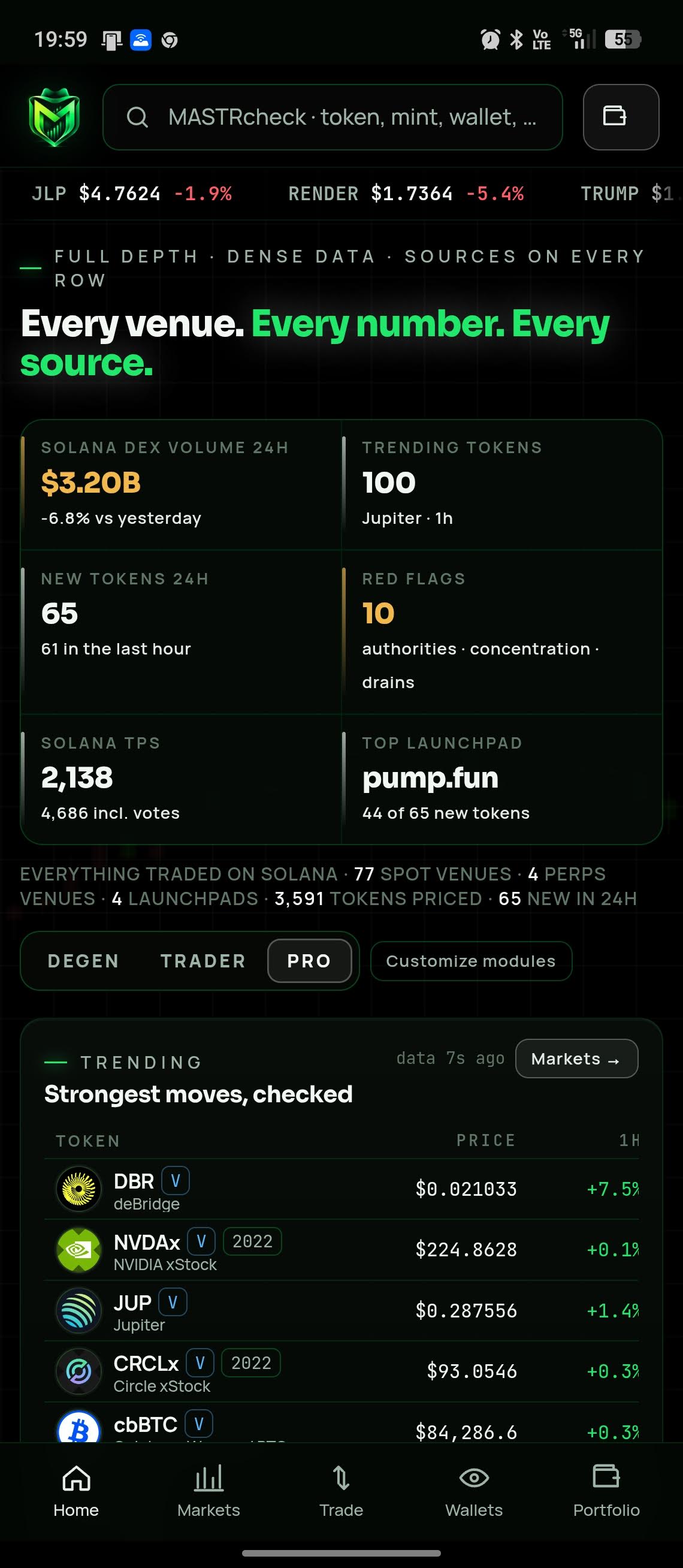
Degen, Trader and Pro share the same intelligence with customisable modules and columns. Optional sign-in uses a wallet signature, not an email or password, to sync watchlists, alerts and levels. Lists stay local without sign-in. Share token, PnL and wallet cards; account referral links show send/wallet counts. Provider health is visible on the Status page.
More room for charts, market depth and side-by-side analysis. Open MASTRtrade.com in your browser; Android and Solana Seeker users can also install the APK.
Use MASTRtrade.com directly or install the web app through a supported browser: Chrome/Edge on Windows, macOS or Linux, and the browser installation option on Android or iPhone. These are web-app installations, not separate native desktop/iOS binaries. The Android APK supports compatible phones including Solana Seeker; Android mint sharing opens a security scan.
Android 9+ · 2.39 MB
Free APK download. The standard trading fee is 0.99%; eligible wallets holding at least US$100 worth of MASTR receive the 0.67% rate. Check eligibility and the complete quote before signing. Network, priority, Jito and applicable token or route costs are separate.
APK
b5e70d9120b42ae4cf7e52175b24f9f24cf773c73af52efe1b0676cc898c1e10SHA-256 · APK & signing certificate
f6a875393176a443fa0720b664e2beabcdcdacb08aca87808f8d6627b0205d79com.mastrlabs.mastrtrade · 1
The APK signature and checksum were checked locally. This verifies file integrity against this release, not the safety of the application.
SHA256SUMS.txtAndroid may ask permission to install an app downloaded outside Google Play. Open Settings → Apps → Special app access → Install unknown apps. Select the browser or file manager used to open the APK and enable Allow from this source. Install the file, then turn that permission off again. Menu names vary by device.
Keep Google Play Protect enabled. Allow a requested scan; do not ignore a harmful-app warning. If installation is blocked, contact info@mastrapps.com with the exact message. Download only from MASTRapps.com and compare the published SHA-256 checksum.
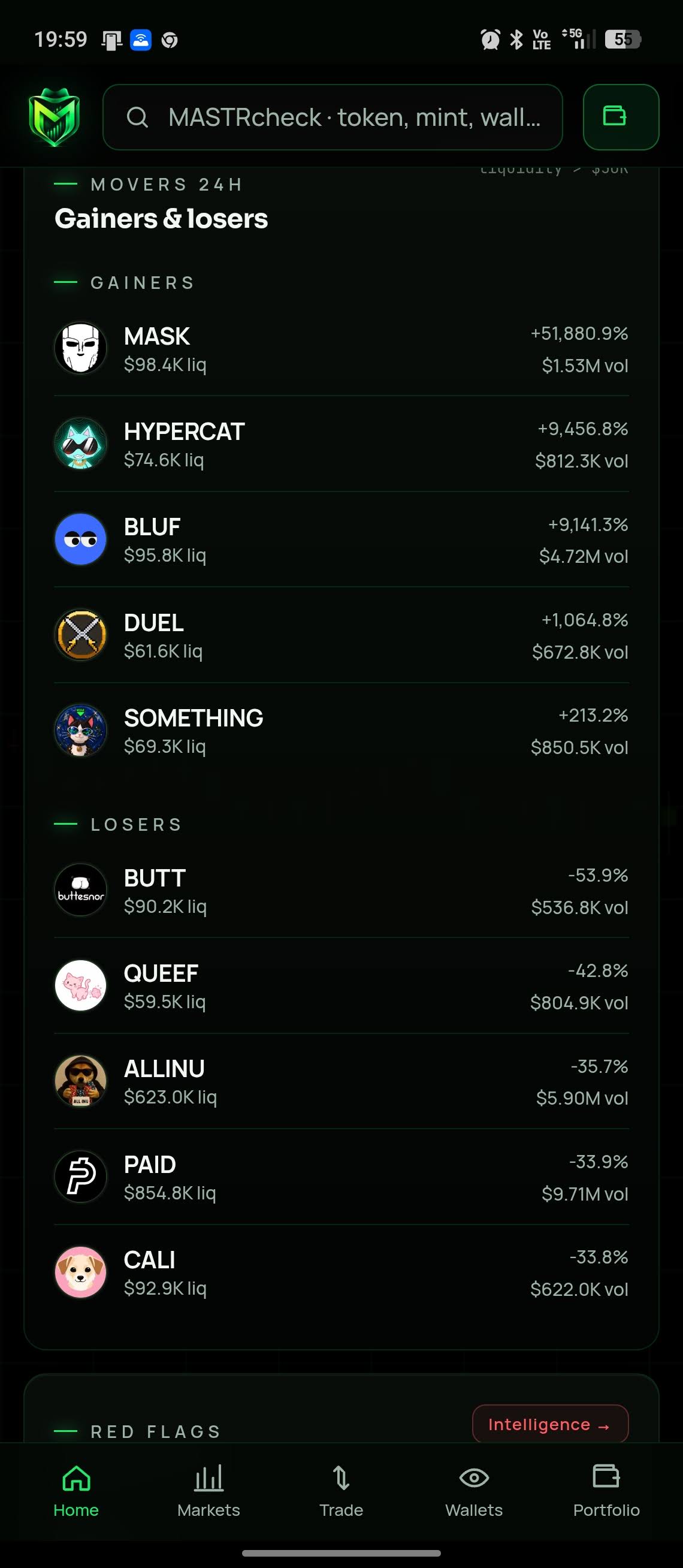
Original app screenshots from 23 September 2026. Prices, rankings and flags are historical examples, not current market data or recommendations. Select a screenshot to view it in full.
For adults 18+. Trading can cause substantial loss, including all funds committed. Data, quotes and risk indicators can be incomplete, delayed or wrong. Checks are not an audit, investment advice or a promise of safety or returns. Never share a seed phrase or private key. Read MASTRtrade’s own terms, privacy notice and risk disclosure before use.
Product information supplied by MASTR and the official MASTRtrade website · 23 September 2026. MASTRtrade.com ↗
Trade from Telegram, with the evidence beside the action. Prepare buys, sells, limit orders and DCA, then open MASTRtrade to review and sign in your own wallet. Token scans bring 32 checks with their sources.
Your wallet signs. The bot never holds your private keys.
Send a token address in a direct chat, use /scan in a group, or type @MASTRtrade_bot and an address inline. Use /mywallet to remember a public address only.
/buy <token> <SOL>/sell <token> <percent>/limit <token> <price $> <SOL> · Jupiter Trigger/dca <token> <total SOL> <orders>/tpsl <token>/mywallet <address> · /positions · /pnl/scan <token>/holders <token> · WalletGalaxy/exit <token> · /price <token>/trending · /new · /pulse/wallet <address>/portfolio <address>/watch <address> · /unwatch · /watching/leaderboard/alert <token> <price $>/alerts · /unalert/launches on · /daily on/ref · /langFree APK download. The standard trading fee is 0.99%; eligible wallets holding at least US$100 worth of MASTR receive the 0.67% rate. Check eligibility and the complete quote before signing. Network, priority, Jito and applicable token or route costs are separate.
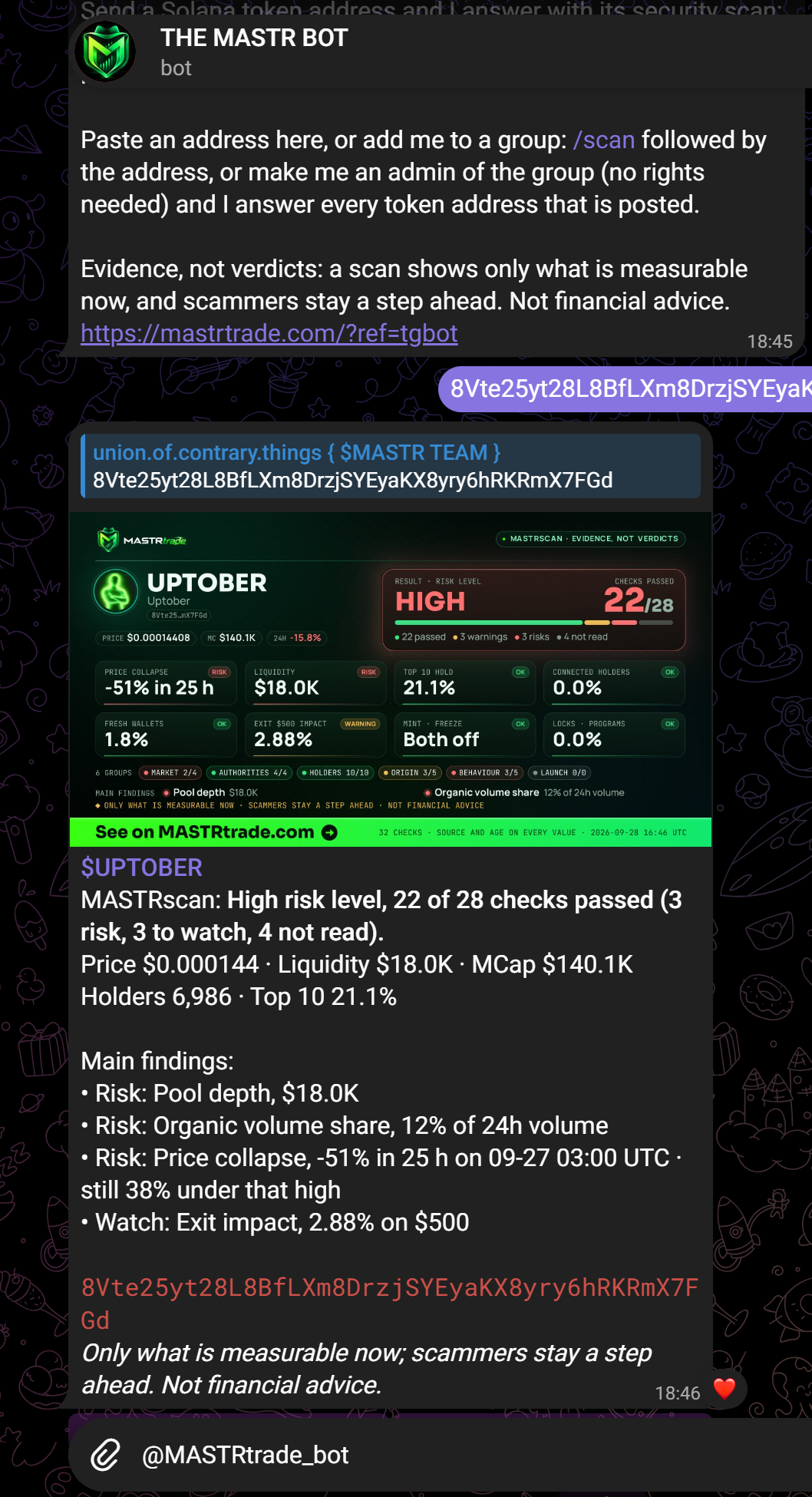
Evidence, not verdicts. A scan is a point-in-time view, not a safety guarantee or financial advice.